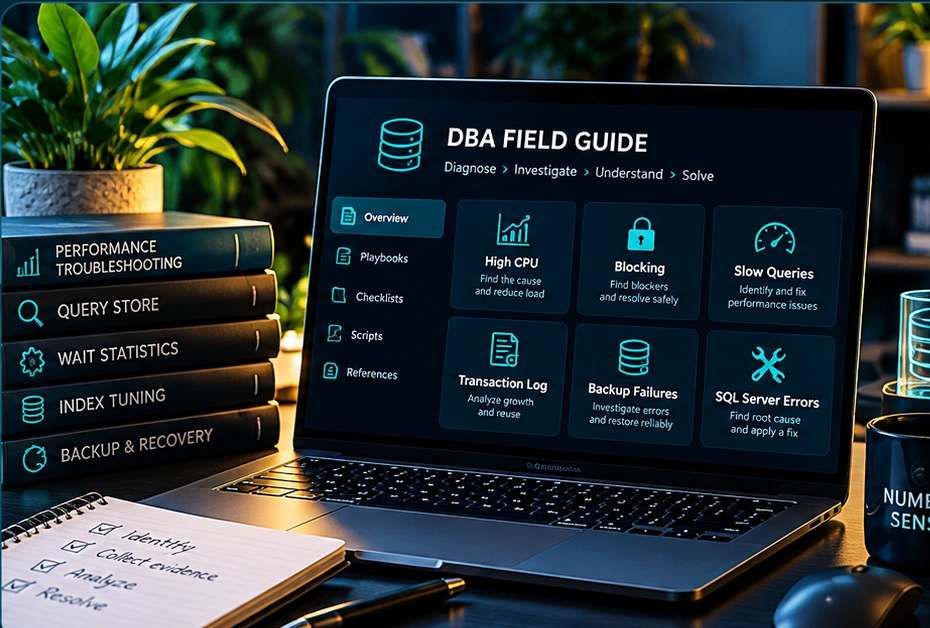
High CPU
Determine whether CPU pressure is sustained, which requests contribute, and whether the problem is query-related or external to SQL Server.
Open playbook →Five evidence-led SQL Server investigation playbooks. Start with the symptom, collect the right evidence, challenge assumptions, and choose a safe next step.
Companion, not monitoring software. This guide teaches investigation methods; it does not connect to your servers, collect metrics, or replace SQL PerfMonitor. Run queries only in environments where you are authorized.
Determine whether CPU pressure is sustained, which requests contribute, and whether the problem is query-related or external to SQL Server.
Open playbook →Find the head blocker, understand the transaction and lock chain, and avoid treating symptoms by killing sessions prematurely.
Open playbook →Distinguish a historically slow query from a new regression, then investigate plans, row estimates, and workload changes.
Open playbook →Separate normal log usage from abnormal growth, and identify why log space cannot be reused before attempting corrective action.
Open playbook →Assess backup coverage, failure patterns, and whether restores have actually been tested against recovery objectives.
Open playbook →No matching playbooks. Try another term.
Determine whether CPU pressure is sustained, which requests contribute, and whether the problem is query-related or external to SQL Server.
SELECT TOP (20)
    r.session_id, DB_NAME(r.database_id) AS database_name,
    r.status, r.cpu_time AS cpu_ms, r.total_elapsed_time AS elapsed_ms,
    r.wait_type, r.blocking_session_id,
    SUBSTRING(t.text, (r.statement_start_offset/2)+1,
      ((CASE r.statement_end_offset WHEN -1 THEN DATALENGTH(t.text)
        ELSE r.statement_end_offset END-r.statement_start_offset)/2)+1) AS statement_text
FROM sys.dm_exec_requests AS r
CROSS APPLY sys.dm_exec_sql_text(r.sql_handle) AS t
WHERE r.session_id <> @@SPID
ORDER BY r.cpu_time DESC;Current-request CPU is cumulative for each request, not a server-wide CPU percentage. A query can be expensive historically while absent from this snapshot.
Requires applicable DMV visibility permissions; on SQL Server 2022 and 2025 this commonly includes VIEW SERVER PERFORMANCE STATE. Exact permissions vary by version and scope.
Find the head blocker, understand the transaction and lock chain, and avoid treating symptoms by killing sessions prematurely.
SELECT r.session_id, r.blocking_session_id, r.status,
       r.wait_type, r.wait_time AS wait_ms,
       r.total_elapsed_time AS elapsed_ms,
       DB_NAME(r.database_id) AS database_name,
       t.text AS batch_text
FROM sys.dm_exec_requests AS r
OUTER APPLY sys.dm_exec_sql_text(r.sql_handle) AS t
WHERE r.blocking_session_id <> 0
   OR r.session_id IN (
       SELECT blocking_session_id FROM sys.dm_exec_requests
       WHERE blocking_session_id > 0)
ORDER BY r.blocking_session_id, r.session_id;A blocking session may be sleeping and absent from sys.dm_exec_requests. This query is a starting snapshot, not a complete lock-chain reconstruction.
Requires applicable DMV visibility permissions; SQL Server 2022+ may require VIEW SERVER PERFORMANCE STATE.
Distinguish a historically slow query from a new regression, then investigate plans, row estimates, and workload changes.
SELECT TOP (20)
       qs.query_id, qt.query_sql_text,
       SUM(rs.count_executions) AS executions,
       CAST(SUM(rs.avg_duration * rs.count_executions)
            / NULLIF(SUM(rs.count_executions),0) / 1000.0 AS decimal(18,1))
            AS weighted_avg_duration_ms
FROM sys.query_store_runtime_stats AS rs
JOIN sys.query_store_plan AS p ON p.plan_id=rs.plan_id
JOIN sys.query_store_query AS qs ON qs.query_id=p.query_id
JOIN sys.query_store_query_text AS qt ON qt.query_text_id=qs.query_text_id
GROUP BY qs.query_id, qt.query_sql_text
ORDER BY weighted_avg_duration_ms DESC;Query Store duration values are in microseconds. This is an aggregate over retained data, not a time-window comparison; run in the relevant user database with Query Store enabled.
Requires Query Store to be enabled and appropriate database permissions (often VIEW DATABASE STATE or VIEW DATABASE PERFORMANCE STATE, depending on version).
Separate normal log usage from abnormal growth, and identify why log space cannot be reused before attempting corrective action.
SELECT d.name, d.recovery_model_desc, d.log_reuse_wait_desc,
       mf.name AS logical_file_name,
       CAST(mf.size * 8.0 / 1024 AS decimal(18,1)) AS size_mb,
       mf.growth, mf.is_percent_growth
FROM sys.databases AS d
JOIN sys.master_files AS mf ON mf.database_id=d.database_id
WHERE mf.type_desc='LOG'
ORDER BY d.name;log_reuse_wait_desc is a diagnostic clue, not a complete root-cause explanation. The growth column uses 8-KB pages unless is_percent_growth = 1.
Catalog visibility and permissions vary by environment; run with an account authorized to inspect instance metadata.
Assess backup coverage, failure patterns, and whether restores have actually been tested against recovery objectives.
SELECT d.name AS database_name,
       MAX(CASE WHEN b.type='D' THEN b.backup_finish_date END) AS last_full,
       MAX(CASE WHEN b.type='I' THEN b.backup_finish_date END) AS last_diff,
       MAX(CASE WHEN b.type='L' THEN b.backup_finish_date END) AS last_log
FROM sys.databases AS d
LEFT JOIN msdb.dbo.backupset AS b ON b.database_name=d.name
GROUP BY d.name
ORDER BY d.name;msdb history may be purged, may not reflect backups taken elsewhere, and does not prove a backup can be restored. A recent backup is not equivalent to a successful restore test.
Requires access to msdb backup history and sys.databases; permissions depend on environment.
These examples are educational starting points, not a substitute for instance-specific diagnosis. A snapshot cannot establish a root cause by itself. Preserve evidence, verify permissions and version compatibility, and test changes with rollback plans.